
Athletes
Upload an Athletes CSV
Updated November 20, 2026 · Club admins
On Athletes, Upload CSV opens the Upload Athletes CSV dialog. This is the in-page import on the roster. For a dry run, merge/skip review, and undo, use Import & Switch instead.
Upload the file
- 1Open Athletes.
- 2From the All Athletes view, click Upload CSV.
- 3Use the Upload Athletes CSV dialog to choose your file.
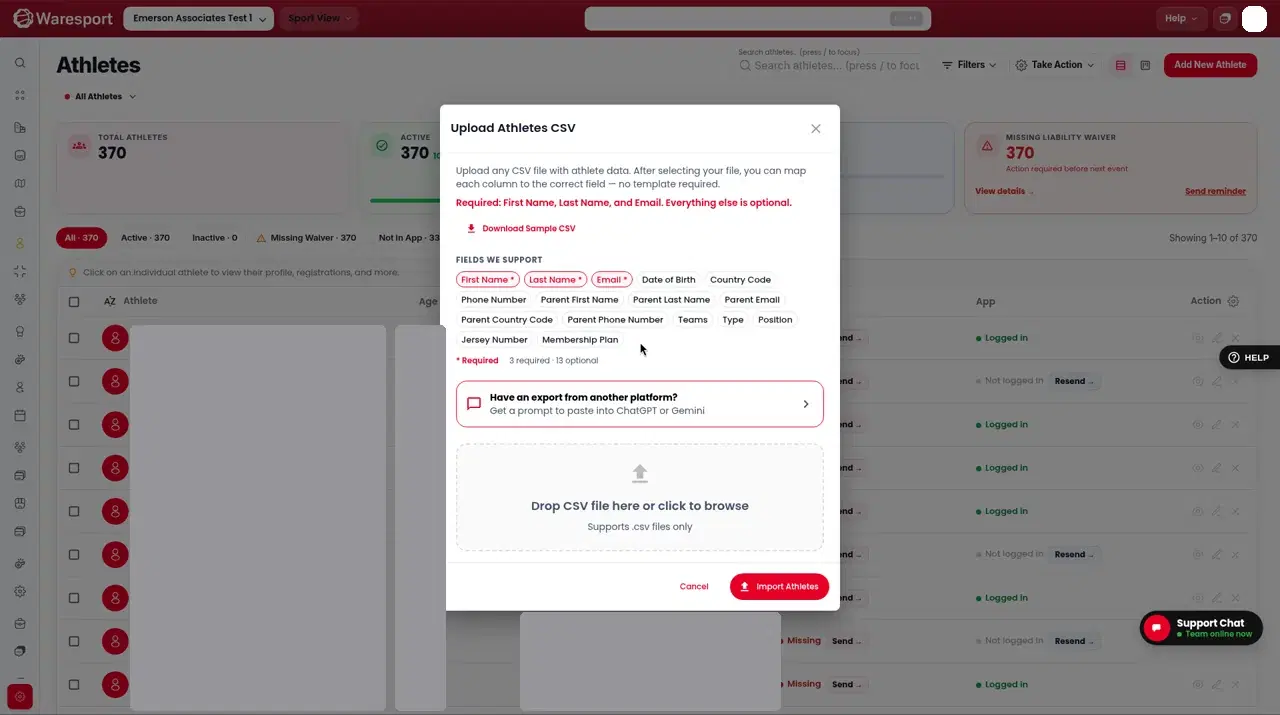
The spreadsheet should include First Name and Last Name. Other recognized fields include Email, Date of Birth, Phone Number, parent contact fields, Teams, Type, Position, Jersey Number, and Membership Plan.
If you are moving a club over from another platform, prefer Import a roster with Import & Switch. That wizard includes Dry run, Commit import, and Undo import, and it will not email families or charge payments.
FAQs
- Can I export first?
- Yes. On **All Athletes**, click **Export CSV**, then edit the file and use **Upload CSV** or **Import & Switch**.